
How to track tennis match stats point by point
To track tennis match stats, write down three things for every point: who served and whether it was a first or second serve, how the point ended, and who hit the last shot. Add those up at the end and you have serve percentages, winners, errors and more. You can do it on paper, but a phone does the adding for you and keeps the score.
What to record for each point
- The server and the serve. Was the point played on a first serve or a second serve? A missed first serve (a fault) is worth noting even if the player then wins the point.
- How the point ended. An ace, a double fault, a return winner, a return error, a winner, a forced error or an unforced error.
- Who hit the last shot. A winner or an error belongs to the player who hit it.
- Optional extras. For errors, whether the ball went into the net, long or wide. For winners and errors, how long the rally was.
A forced error is a miss that came from real pressure by the opponent. An unforced error is a miss from a ball the player could normally handle. Decide how you will judge this before the match and stay consistent, because the two numbers only mean something if you use the same standard all match.
Paper or phone
On paper, the simplest method is one line per game. Write the server's initial, then a short code for every point, such as A for ace, DF for double fault, W for winner, FE for forced error and UE for unforced error, with the initial of the player who hit the last shot. After the match, count each code per player. It works, but the counting takes a long time, it is easy to lose your place at a changeover, and the score itself is easy to get wrong in a tie-break.
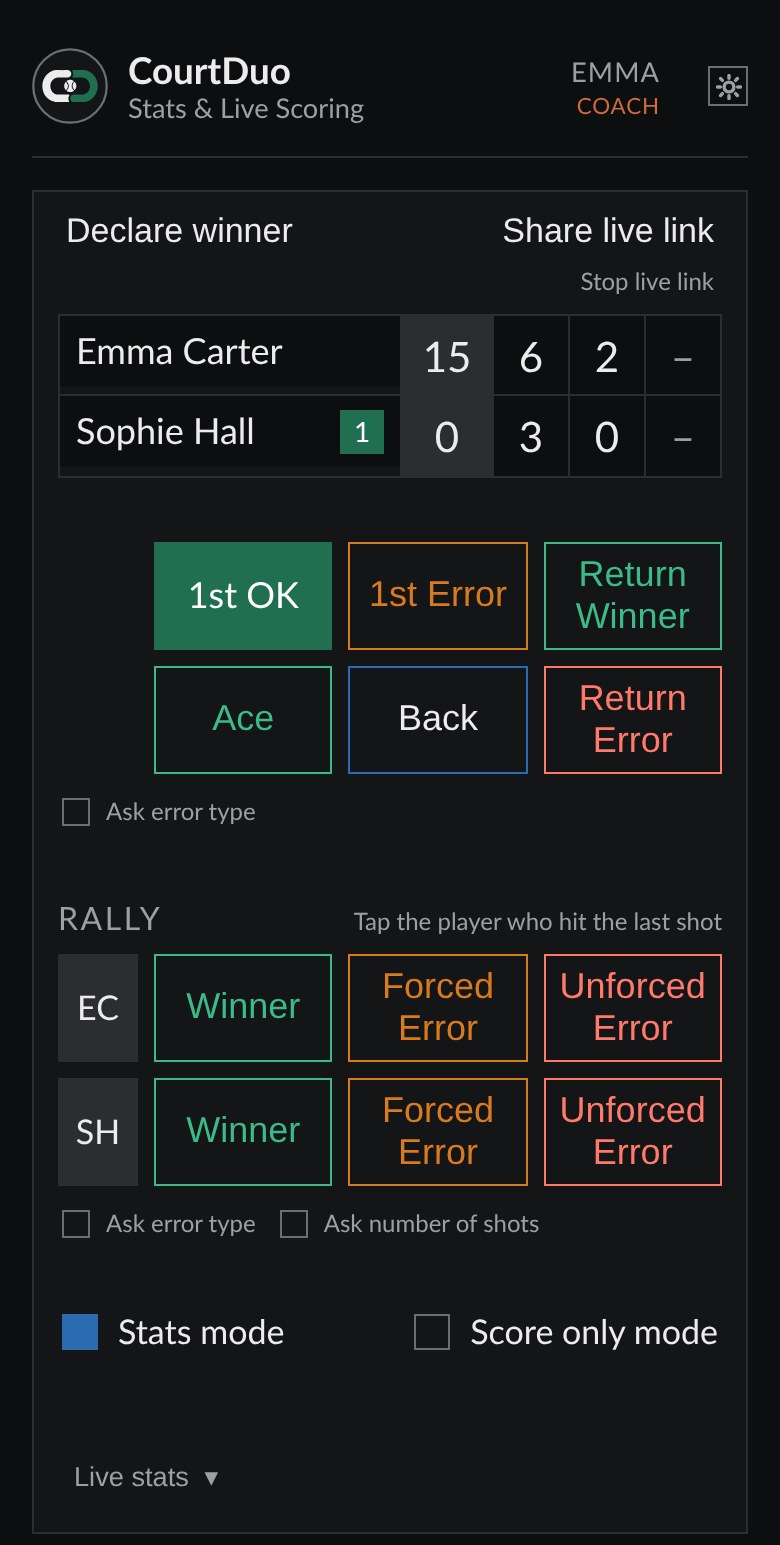
On a phone, you tap the same information and the app works out the score, the games, the sets, the tie-breaks and who serves next. At the end the counting is already done.
Tips for parents at junior matches
- Where to sit. Pick a seat from which you can see both the server and the place the ball lands. If you cannot see the whole court, you will guess, and guessed stats are worse than missing stats.
- Record only what you can see. If you could not tell whether a miss was long or wide, skip the error type. A shorter list of honest figures beats a longer list of guesses.
- Use score only mode when it gets busy. If the rallies are fast, or you need to watch your child instead of your screen, just record who won each point. You keep the score and can switch back to full detail later in the same match.
- Undo freely. Everyone taps the wrong button now and then. Fix it straight away rather than hoping to remember later.
- Stay a spectator first. Watching the point before you tap is more important than keeping up with every tap. A point can always be entered a moment later.
Mistakes to avoid
- Recording only the winner of the point and not how it ended. You lose almost everything that makes stats useful.
- Forgetting first-serve faults. The first-serve percentage then looks much better than it really was.
- Changing your standard for forced and unforced errors halfway through the match.
- Waiting until after the match to fill things in from memory.
- Comparing a single match with another player's numbers. One match is a small sample. Patterns over several matches say much more.
How CourtDuo Stats helps
With CourtDuo Stats you tap how each point ended and which player hit the last shot. The score, serve rotation and tie-breaks update by themselves, the Back button undoes the last tap, and score only mode is one switch away. Points you tap without a signal are kept on your phone and sent when the connection returns.
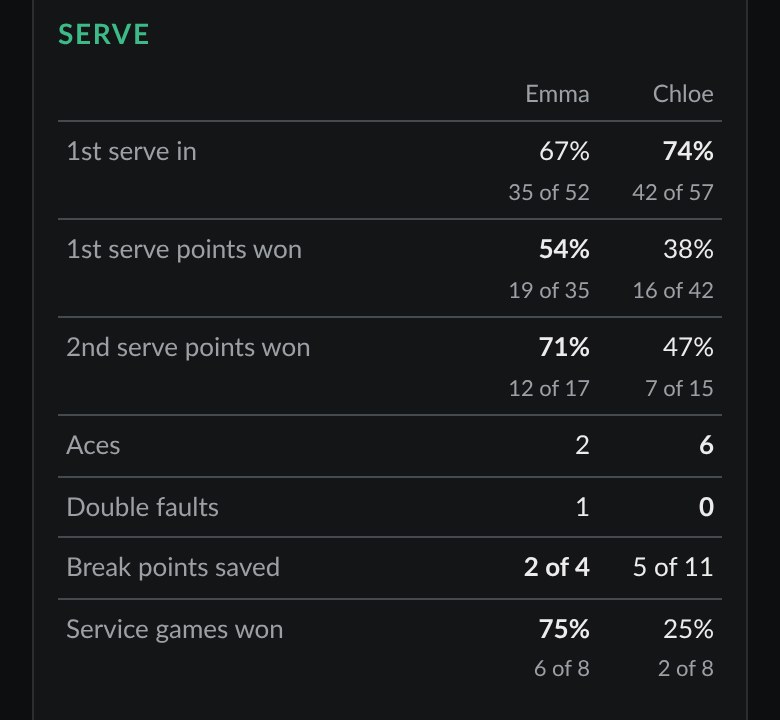
When the match ends you get the figures for the whole match and for every set. The free Solo plan shows the basic figures. Full stats come with the Duo plan, the Coach plan or a Match pack.
Not sure what the numbers mean? Read Tennis stats explained.